


Paper Fold
4.514.92K Reviews
App Specs
- Version
- 200365
- Updated On
- License
- Free
- Downloads
- 100,000,000+
- Developer
- CASUAL AZUR GAMES
- Categories
- Puzzle
- Platform
- Android
Screenshots

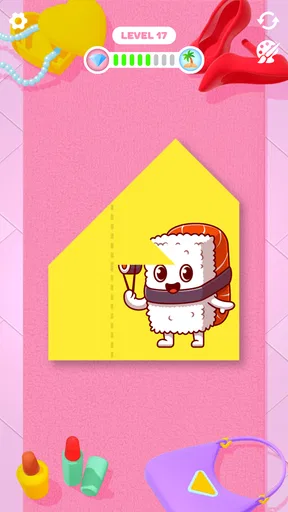
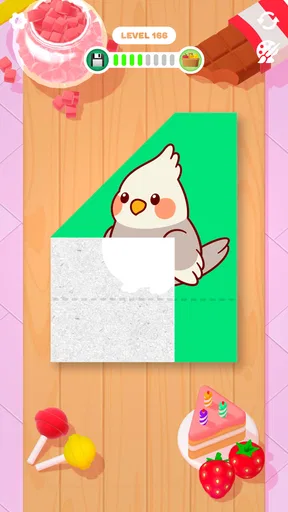
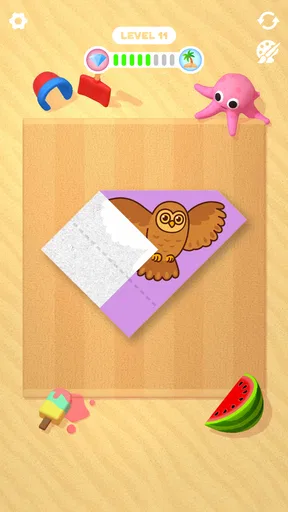
 Analysis by AppCompare
I judge a casual puzzle partly by how quickly I can understand what it wants from me, and Paper Fold has an unusually direct premise: make a picture by folding a flat sheet in the right order. That simplicity makes it easy to pick up during a short break, but it also means the experience depends on whether the folding gestures feel clear and satisfying on your device. I find it best approached as a gentle visual puzzle, not as a serious origami lesson or a demanding brain-training tool.
Readable at a glance, with a small learning curve
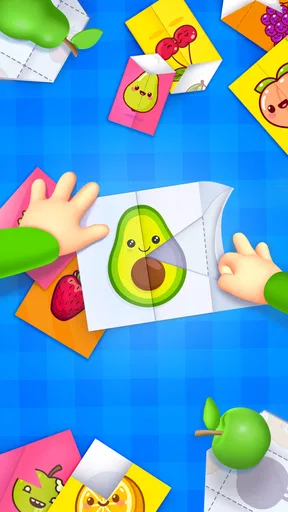
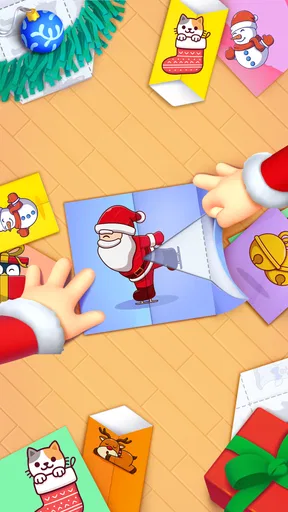
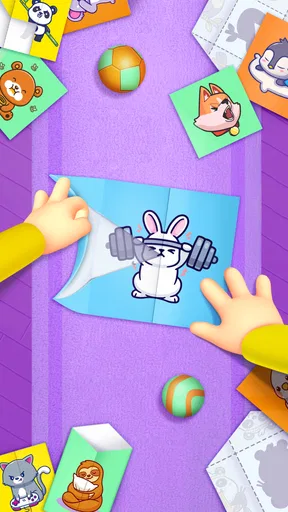
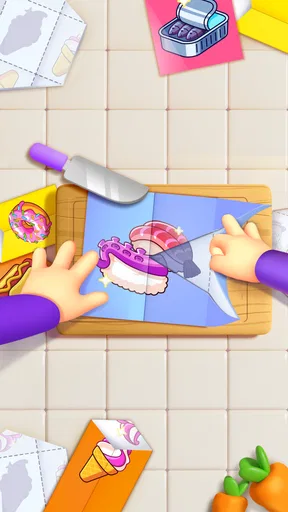
The screen centers attention on the paper and the image taking shape, so there is little to learn before trying a fold. I can see why that uncluttered presentation suits people who prefer a straightforward game over menus full of modes and instructions. The main task is visual: work out which part should fold next, then tap the relevant corner. That makes the game approachable even if you have never tried paper crafts.
Still, a simple layout is not the same as perfect clarity. On a small phone, details in a partly formed picture may be harder to distinguish, and a player who relies on very large text or high-contrast interface elements may find the visual puzzle less comfortable than a word-based or tile-matching game. I would try a few early levels before settling in, especially if screen size or eyesight affects how easily you can inspect small shapes.
Guides and Analysis on Paper Fold
Folding gestures and sensory comfort
In my experience, the central interaction is easy to understand: tap a corner and watch the sheet fold. That is less demanding than a puzzle built around repeated precision dragging, though it still asks for deliberate touches on a particular part of the screen. If accurate tapping is difficult, a hint can help move a level along, but it does not change the basic need to interact with the paper.
The soft, colorful presentation and folding animation give each move a pleasing sense of completion. That can be calming, but visual movement is still visual movement; anyone who finds animated effects tiring may prefer to play briefly and see how it feels. I also would not assume that a relaxing look makes the game suitable for every sensory preference. The appeal here is the combination of a quiet puzzle and an animated reveal, not a fully customizable sensory environment.
Useful in short, ordinary moments
I can imagine opening it while waiting for a ride, taking a quick pause between chores, or sitting beside someone who wants a low-pressure game to watch and discuss. A level gives that kind of moment a clear little goal: inspect the picture, decide on a fold, and see whether the result fits. It is also easy to explain to a friend without first giving them a long tutorial.
As a puzzle game, it sits closer to casual picture challenges than to traditional origami guides, logic grids, or long-form adventures. Choose it when you want a visual task with immediate feedback; choose a paper-craft tutorial if learning real folds matters more, or a deeper logic puzzler if you want sustained planning and tougher rules. Its forgiving, relaxed character is a strength for breaks, but may feel light to players who want every level to demand extended concentration.
Worth Reading Before You Choose

Ludo King Makes the Most of the Minutes Between Plans

Baby Panda World Brings Quick Play to Modern Phones, but Its Game Library Feels Busy

ESPN’s Live Game View Makes Following Close Games Easier

QuizzLand Review: A Good Fit for Short Trivia Breaks, Not Every Player

Basketball Stars: Multiplayer Is Fast, but Can It Recover When Matches Go Wrong?

WEBTOON Turns Phone Updates Into a Better Reading Routine
Getting Started with Folding Fun
Once you fire up Paper Fold, you’re immediately greeted by a simple interface that invites you to dive into the world of virtual origami. The game’s concept is straightforward yet surprisingly addictive. You’re given a sheet of paper, and your mission is to fold it into various shapes and designs by tapping on the corners.
The Art of Folding
Each level presents a different challenge, and as you progress, the designs get more complex. What I love about this app is the sense of satisfaction you get as each fold snaps perfectly into place. It’s almost meditative, and before you know it, you’re hooked. The game does a fantastic job of balancing difficulty with relaxation, making it perfect for those little breaks throughout your day.
One of the standout features is the vibrant graphics and smooth animations. The paper textures and colors are beautifully rendered, giving you that tactile sensation of real paper. It’s a small detail, but it elevates the whole experience.
Challenges and Creativity
As you advance, Paper Fold introduces new mechanics that keep things interesting. Some levels require you to think a bit outside the box, challenging your creativity and spatial awareness. And if you ever get stuck, don’t worry! The game offers hints to help you along the way. But trust me, figuring it out on your own is half the fun!
Another cool aspect is the variety of designs. From animals to intricate patterns, there’s always something new to create. I found myself eagerly anticipating what the next level would bring. It’s like unlocking a little surprise each time you complete a fold.
Worth a try, with realistic expectations
That surprise works best when I treat each picture as a small visual riddle rather than a test of artistic skill. One useful habit is to pause before tapping and look at the unfinished image as a whole: the edges and colored areas can suggest which layer belongs on top. If I rush through repeated taps, I lose some of the satisfaction that makes the game pleasant. Hints are better saved for a genuinely confusing arrangement, since trying one more deliberate fold can be part of the fun.
There is a trade-off in the game’s compact format. A quick level is convenient when I have a spare minute, but the same structure may not provide the sense of progression or strategic depth that keeps a long-session puzzle fan engaged. I would not pick it as my main game for a commute where I want a demanding challenge, nor as a substitute for a hands-on craft activity. It works best as a small, self-contained diversion that does not require a big time commitment.
For a realistic everyday test, I would open it during a short wait, play a level or two, and stop when the wait ends rather than expecting a long narrative thread to pull me back. That makes it easy to share the screen with a child or a friend: take turns suggesting the next fold, then see whether the finished picture matches the goal. The age rating is Everyone, which is reassuring for a broad audience, though adults should still choose play time and supervision to fit the person using the phone.
Paper Fold is free to start, and in-app purchases are listed at $3.99 per item. That makes it reasonable to try before deciding whether it belongs on your device, but I would treat any purchase as optional rather than necessary to understand the core folding idea. If you are sensitive to interruptions in casual games, check how the experience feels in your own session before committing to longer play; the key question is whether the pauses and prompts, if encountered, spoil the relaxed rhythm for you.
Who will enjoy it, and who may prefer another puzzle
I would recommend it to someone who likes quick picture puzzles, enjoys watching a shape resolve one fold at a time, or wants a low-pressure game to share in short bursts. It is also a sensible choice for people who find dense rules off-putting: the central action is visible, and the goal is easy to grasp. CASUAL AZUR GAMES has built a familiar casual format around a distinctive paper-folding idea, and that visual focus gives it more personality than a generic sequence of matching tiles.
On the other hand, players who need adjustable text, reduced motion, or a very forgiving touch target should test the game on their own device rather than assume the clean screen covers those needs. People seeking a realistic origami curriculum, a tactile craft, or puzzles with layered clues and long-term planning will likely be happier elsewhere. The game’s strength is accessibility of concept, not a promise that every interaction or animation will suit every player.
The game was released on March 17, 2021, and its current version is 200365; it requires Android 7.0 or later. It has an average rating of 4.6 from around 1.1 million ratings, with roughly 15,000 written reviews and over 100 million installs. Those figures point to a widely played casual puzzle, but I would still use the first few levels to judge whether its visual style and tapping feel comfortable for me.
Final Thoughts
Overall, Paper Fold is a charming little app that’s perfect for those who enjoy puzzles and casual gaming. It’s a refreshing break from more intense games, providing a relaxing yet engaging experience. Whether you’re a fan of origami or just looking for a fun way to pass the time, this app is definitely worth a download. So go ahead, give it a try, and see how many shapes you can master!
My inclusive verdict
My recommendation comes with a practical distinction: the idea is easy to understand, while comfort depends on how well the screen, tapping, and animation work for you personally. I like that the central puzzle does not demand a long tutorial, and the hint option offers a way through a sticking point. But I would not call it universally accessible on that basis alone. If small visual details, precise touch interaction, or animated movement are barriers for you, a calmer static puzzle or one with explicit display and input controls may be a better fit.
CASUAL AZUR GAMES’ paper-folding concept gives the puzzle a clear identity, and its free entry makes a cautious trial straightforward. The game is most rewarding when I want a short, satisfying visual task and least suited to moments when I need a complex challenge, a real-world craft lesson, or more control over sensory presentation. If that balance sounds right, I think it is worth trying; if not, choosing another kind of puzzle is a reasonable call.
Pros
- Intuitive and simple gameplay mechanics.
- Visually appealing and colorful graphics.
- Quick sessions great for short breaks.
- Engages both kids and adults effectively.
- Regular updates with new levels.
Cons
- Can become repetitive over time.
- Some levels may feel too easy.
- Limited sound options available.
- In-app purchases for hints.
- Ads may interrupt gameplay experience.
FAQs for Paper Fold
What is the objective of Paper Fold?
Paper Fold is a puzzle game where the objective is to fold virtual paper sheets to match a given shape or design. Players must strategically fold along the dotted lines to align patterns or images correctly, challenging their spatial awareness and problem-solving skills. The simplicity of the concept makes it easy to grasp but increasingly complex as levels progress.
Is Paper Fold suitable for all age groups?
Yes, Paper Fold is designed to be accessible to a wide range of age groups. Its intuitive gameplay mechanics make it suitable for children, while its challenging levels offer a satisfying experience for adults as well. The game encourages cognitive development and spatial reasoning, making it both educational and entertaining.
Does Paper Fold require an internet connection to play?
Paper Fold can be played offline, allowing users to enjoy the game without an internet connection. This makes it a great option for passing time during travel or in areas with limited connectivity. However, some features, such as updates or competitive leaderboards, may require an internet connection.
Are there any in-app purchases in Paper Fold?
Paper Fold offers in-app purchases that enhance the gaming experience. Players can purchase hints or additional level packs to progress through challenging stages more easily. While the game is free to download and play, these optional purchases provide extra convenience and additional content for dedicated players.
How does Paper Fold handle player data and privacy?
Paper Fold adheres to standard privacy protocols to ensure player data is protected. The app only collects necessary information to enhance gameplay and improve user experience. Players can review the privacy policy within the app to understand what data is collected and how it is used, ensuring transparency and trust.


